
We’ll connect your Amazon account or accounts together on a call so we can both confirm access and make sure all settings are in place. If you have multiple Amazon marketplaces (locations), we can enable multiple store connections for each marketplace.
This store connection allows Nice Fulfillment to process MFN orders (Merchant Fulfilled Orders). We handle FBA (Fulfillment by Amazon) orders through a different process.
1. We Add Your Amazon Store
We select + Add a New Store at the top right of the page, choose Amazon, and follow the steps in the Connect Your Amazon Store window.
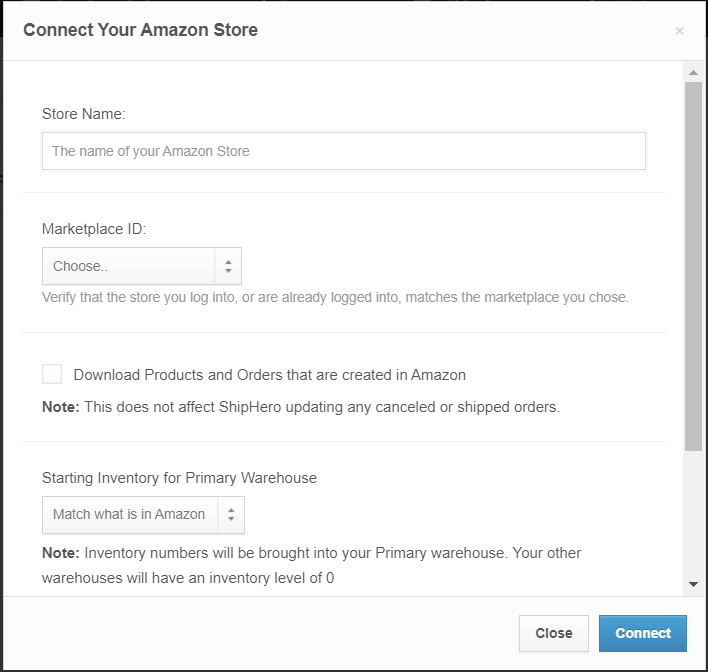
The information in this form is used to connect to the legacy Amazon Marketplace Web Service API. The store name must be identical to the name listed in Amazon. The Marketplace ID refers to the country where the marketplace was created.
We enter the following store information:
| Field | What to Enter | Example |
|---|---|---|
| Store Name | Your brand name and location, matching the name listed in Amazon | Market House AMZ CA |
| Marketplace ID | The ID that matches the marketplace location | US, CA, UK |
2. You Connect ShipHero to Your Amazon Account
You’ll need to connect ShipHero to your Amazon account. ShipHero will ask you to log in to Seller Central and accept ShipHero’s terms of use.
3. We Set Up Your Shipment Settings
Once the connection is added, we set up your shipment settings in ShipHero.
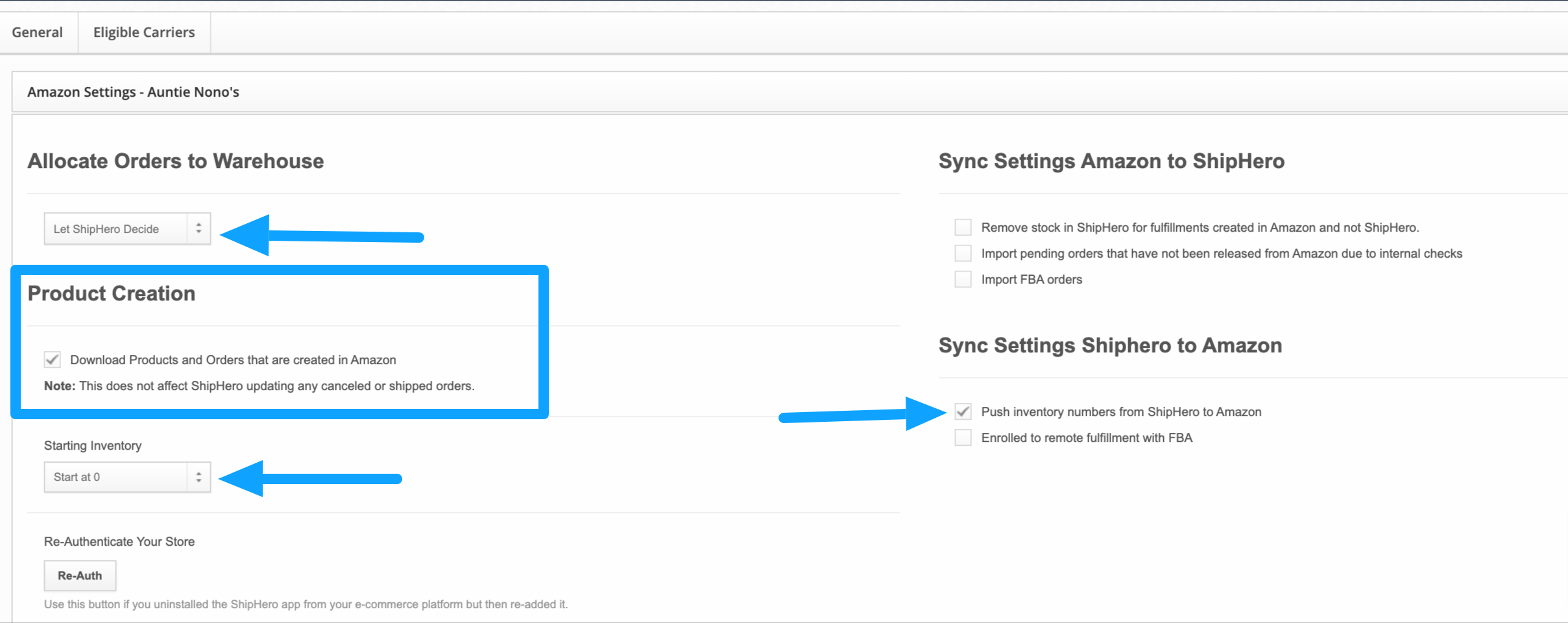
Syncing Schedule Between Amazon and ShipHero
| Sync Activity | Schedule and Details |
|---|---|
| Order imports | ShipHero syncs with Amazon every 30 minutes to import orders for all active accounts. |
| Additional order sync | ShipHero also runs a sync four times a day to ensure all orders are pulled in. |
| Inventory updates | ShipHero pushes inventory updates to Amazon every 20 minutes. |
| Shipment and tracking updates | ShipHero pushes shipment and tracking updates to Amazon every 30 minutes to avoid throttling the Amazon API. |
ShipHero imports order types as follows:
- Merchant Fulfillment (MFN) orders are imported as regular orders in ShipHero.
- Amazon Fulfillment (FBA) orders are imported as FBA orders.
Timelines in this article follow our service level agreement. Questions? Email support@nicecommerce.com.