
When ShipHero has trouble with a shipping address, our Nice Fulfillment team can try making small edits. However, we will most likely place the order on Address Hold so you can verify the address.
Check Address Verification in ShipHero
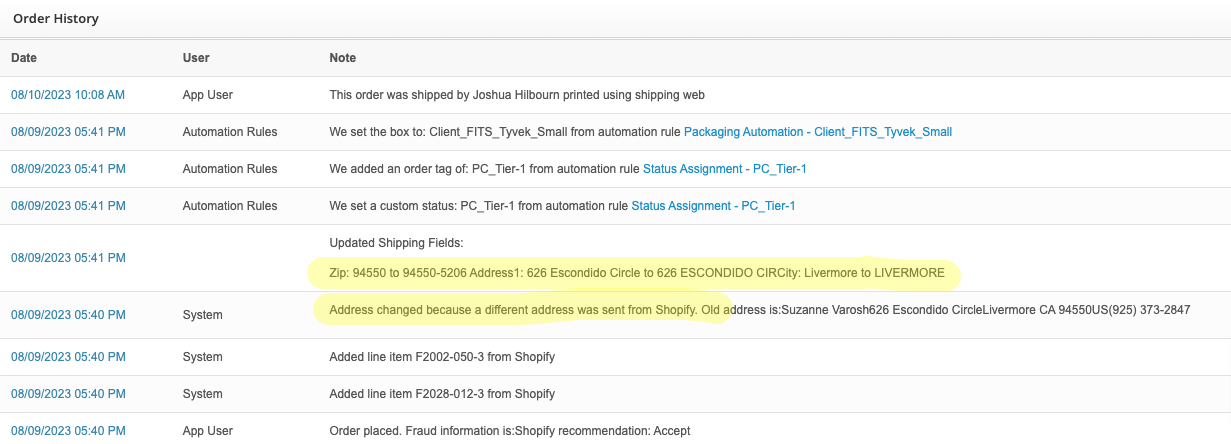
ShipHero capitalizes the entire shipping address when it has verified the address and considers it ready to ship.
Review Address Updates From Shopify
If your store uses Shopify, Shopify will also send address changes to ShipHero to update the shipping address. You can view these updates in the order's Order History notes.
Override Address Validation Errors
If you are removing an Address Hold, or the address is correct but ShipHero is not recognizing your edits, you can override address validation:
- Open the order in ShipHero.
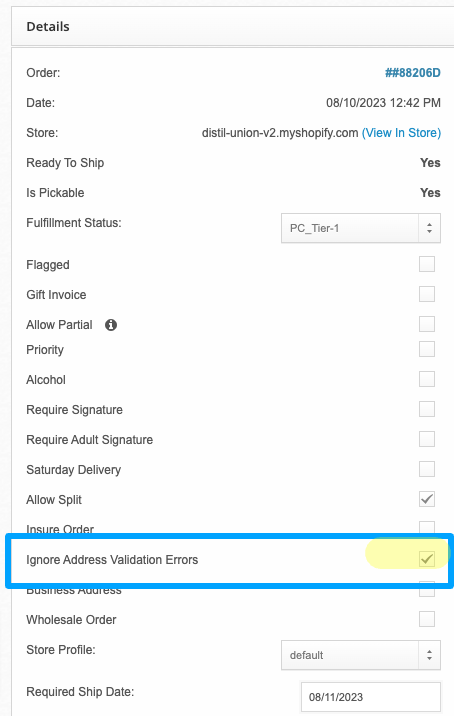
- Find Order Details on the right side.
- Enable Ignore Address Validation Errors.
It is important to enable this setting in these situations. Otherwise, the address may continue to flag our Operations team to place the order on Address Hold.
Timelines in this article follow our service level agreement. Questions? Email support@nicecommerce.com.